
Last updated 2026-07-11
TL;DR
You can add smart control to a home sauna three ways: a dedicated Wi-Fi controller, a 240V-rated smart relay, or a brand app. Most modern saunas support it. Budget $50 to $400 for hardware on top of the sauna, plus electrician labor for 240V work. Preheat scheduling and voice control both work reliably. Remote temperature monitoring costs more and is worth it.
What does smart sauna control actually mean?
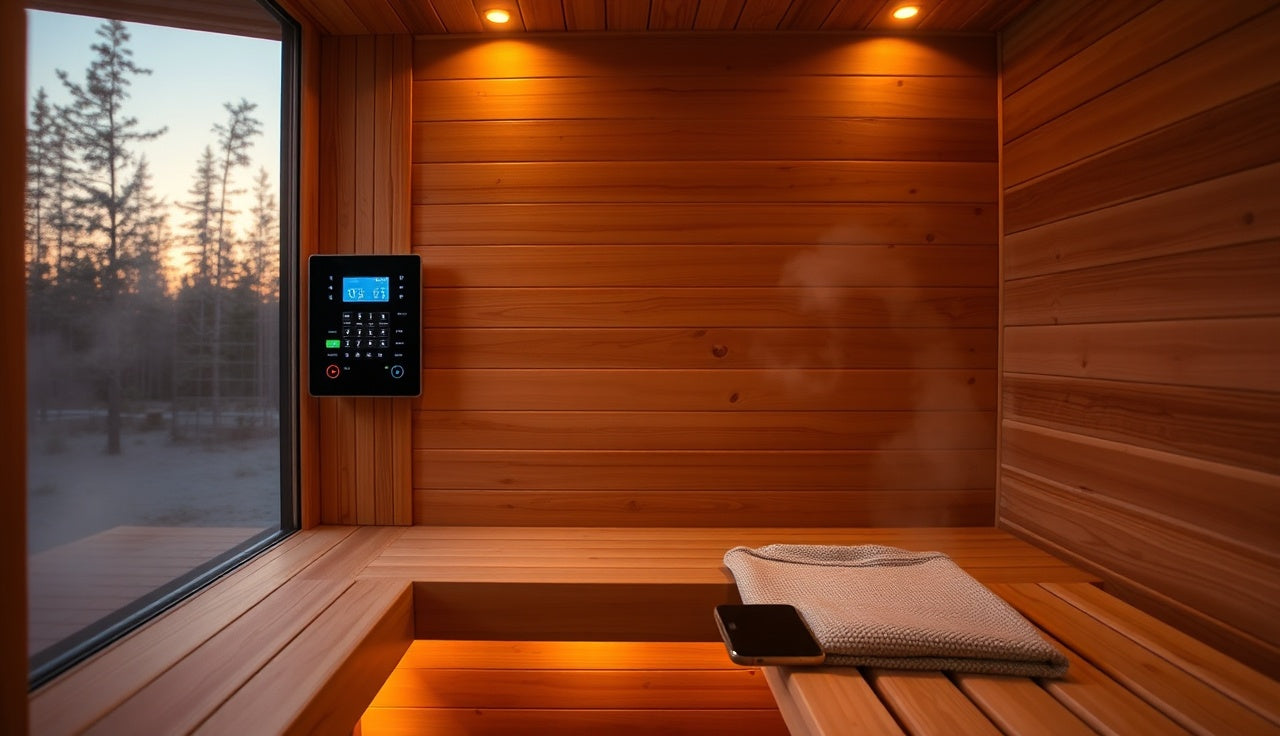
Smart sauna control means you turn the heater on, set a target temperature, and check the room temperature from your phone or a voice assistant instead of walking to a physical dial. That's the whole idea. You start it on the drive home. You say a command from the kitchen. You set a rule that fires the heater 45 minutes before your usual session.
There are three layers to it. Layer one is remote switching, which just turns the heater circuit on and off. Layer two is remote temperature control, meaning you set the target temperature from an app. Layer three is monitoring, a live temperature readout so you know the room hit 170°F before you open the door. Most people want all three. Layer one alone is cheap and easy. Layer three costs more and needs a compatible temperature probe.
This is a different thing from buying a 'smart sauna' as a product. Some manufacturers now ship saunas with Wi-Fi control built in. Most older and mid-range saunas don't have it. Here's the good news: third-party retrofit hardware adds smart control to almost any resistive electric heater, which is what the majority of home saunas use.
Which smart home platforms work with sauna controllers?
The major platforms are Amazon Alexa, Google Home, Apple HomeKit, and Samsung SmartThings. Which one you get depends on your controller manufacturer, not on the sauna. The heater doesn't care what talks to it.
Here is a practical breakdown of what integrates with what:
| Platform | Native sauna controller support | Notes |
|---|---|---|
| Amazon Alexa | Yes (most Wi-Fi controllers) | Via Alexa app skill or direct Wi-Fi |
| Google Home | Yes (many Wi-Fi controllers) | Requires Google Home compatible device |
| Apple HomeKit | Limited | Usually needs a HomeKit bridge or Matter device |
| Samsung SmartThings | Moderate | Zigbee and Z-Wave devices work well |
| Home Assistant | Broadest compatibility | Open source, requires some setup |
Home Assistant deserves a special mention. It's an open-source home automation platform that runs on a local server (often a Raspberry Pi or a dedicated hub) and supports thousands of devices through community integrations [1]. If you already run it, you can probably integrate any sauna controller with a Wi-Fi or Z-Wave radio without waiting for an official app.
For most people who just want to say 'Alexa, preheat the sauna,' a standard Wi-Fi smart relay or a purpose-built sauna controller with Alexa support does the job and takes about an hour to set up.
What hardware do you actually need to connect a sauna to a smart home?
The answer starts with your heater voltage. Most residential sauna heaters run on 120V (smaller units, usually under 3 kW) or 240V (most real saunas, 4 kW to 9 kW). This matters because most consumer smart plugs and switches are rated for 120V and 15 amps. A 240V sauna heater pulls 20 to 40 amps. You cannot use a standard Kasa or TP-Link smart plug on a 240V sauna. Full stop.
For 240V saunas, your options are:
1. A dedicated smart sauna controller from brands like Harvia, HUUM, Saunacore, or Sentiotec. These are built for the job, handle the voltage natively, and include a temperature probe. Prices run about $150 to $400 [2].
2. A Wi-Fi smart relay rated for high-current 240V loads. The Shelly Pro 2PM handles 240V AC up to 25A per channel and integrates with Home Assistant, Google Home, or Alexa [10]. A Qubino flush relay does similar work. These run $50 to $120 and give you on/off control plus power monitoring, but no temperature control unless you add a separate probe.
3. An HVAC-style smart thermostat that accepts 240V control voltage. This is a niche route for people with more advanced DIY setups.
For 120V heaters (portable saunas, small infrared cabinets), any smart plug rated at 15A or above works. A TP-Link Kasa EP25 or similar costs under $35 and gives you scheduling and voice control right away [3].
You'll also want a temperature sensor inside the room if your controller doesn't include one. Inkbird, ThermoPro, and Govee all make Bluetooth or Wi-Fi sensors that survive sauna temps up to 220°F, and they run $20 to $50.
| Smart plug 120V (low-volt saunas only) | $25 |
| Smart relay 240V (DIY) | $85 |
| Dedicated Wi-Fi sauna controller | $275 |
| Temperature / humidity sensor | $40 |
| Electrician labor (240V install) | $175 |
| Smart home hub (if needed) | $100 |
Source: HUUM, Harvia, Shelly, TP-Link product pricing; SweatDecks market research, 2025
Are there safety concerns with automating a high-voltage sauna heater?
Yes, and this is where you have to be honest about your electrical skills. A 240V sauna circuit is the same voltage class as a dryer or range. Any relay, controller, or switch you put in line with that circuit has to be rated for the amperage, installed in a proper enclosure, and wired to local code.
The National Electrical Code (NEC), published by the National Fire Protection Association, requires that electric sauna heaters run on a dedicated branch circuit with overcurrent protection sized to the heater's nameplate rating [4]. Adding a smart relay mid-circuit doesn't change that. The relay itself must handle the continuous load.
A few practical rules.
Never use a smart relay with a continuous amperage rating below the heater's draw. If your heater pulls 30A continuously, you need a relay rated for at least 30A continuous, with headroom above that on peak.
Don't leave a sauna running unattended, smart control or not. Most modern heaters have built-in overheat protection and auto-shutoff timers (usually 1 hour), but automating the 'on' function is no excuse to walk away and forget about it. The Finnish Sauna Society recommends someone be on the premises while a sauna is operating [5]. The U.S. Consumer Product Safety Commission gives similar guidance for electric heating appliances: use properly rated controls and wiring, and don't leave the device running without supervision [11].
If you're not comfortable with 240V wiring, hire an electrician. A straightforward relay install usually runs $100 to $250, and it's worth every dollar.
Infrared saunas carry lower risk here because many run on 120V and draw less current, but the logic holds: use hardware rated for the load.
How do brand-specific sauna apps compare to third-party smart home integration?
Brand apps are more polished and easier to set up out of the box. Third-party integration gives you more flexibility but takes more work. That's the short version. Now the detail.
Several sauna brands ship Wi-Fi controllers with their own apps. Harvia's Xenio panel, HUUM's UKU Wi-Fi controller, and Tylö's app all let you control temperature and preheat scheduling from a phone. They work well inside their own ecosystem. The tradeoff is that they're siloed.
Say you want to fold the sauna into a broader routine, a 'good morning' scene that also starts the coffee maker and nudges the thermostat. For that, the brand's controller needs to publish an Alexa or Google Home skill. Some do. Harvia's Xenio controller offers wider third-party compatibility [9]. The HUUM UKU has a strong app but no native Alexa skill at the moment, so you'd need a workaround like a Home Assistant integration.
For most homeowners who just want to preheat on the way home, a brand app is fine. For anyone building a whole-home system, the open-source route usually wins over the long run.
Some buyers think about this before they purchase. If smart integration matters to you, check controller compatibility before you buy the unit, not after. A look at outdoor sauna options with built-in Wi-Fi control can save you a retrofit headache.
Can you use voice control (Alexa, Google, Siri) to turn on a sauna?
Yes, and it works well once the hardware is right. 'Alexa, turn on the sauna' fires reliably if your smart relay or sauna controller is linked in the Alexa app as a device. You can set a temperature too if the controller supports it: 'Alexa, set the sauna to 180 degrees' works with some dedicated sauna controllers.
Google Assistant and Google Home behave the same way. Siri and Apple HomeKit are the fussy ones, because HomeKit has strict hardware certification. Matter, the unified smart home standard developed by the Connectivity Standards Alliance, is meant to fix cross-platform compatibility over time, and some newer devices already carry Matter certification [6]. If HomeKit matters to you, look for Matter-certified controllers specifically.
Here's a workflow a lot of people land on. Create a scheduled automation in the app that preheats the sauna 45 minutes before your usual recovery window. Now you're not relying on a voice command at all; the sauna is ready when you walk in. Most platforms support time-based and event-based triggers for this.
One catch: voice commands go through the cloud, so they need internet. If your home connection drops, cloud-dependent voice control drops with it. Locally processed systems like Home Assistant (with local polling enabled) keep running without internet, which matters if your connectivity is spotty.
What does smart sauna integration actually cost?
The floor for a real 240V sauna is roughly $150 if you DIY a relay. The ceiling for a full dedicated controller plus professional installation is around $650. The spread is wide because it depends on what you already own and what your heater runs on.
Here is a realistic cost breakdown:
| Component | Low end | High end | Notes |
|---|---|---|---|
| Smart plug (120V only) | $15 | $35 | Portable/infrared saunas only |
| Smart relay (240V capable) | $50 | $120 | DIY wiring required |
| Dedicated sauna Wi-Fi controller | $150 | $400 | Brand units like HUUM UKU, Harvia Xenio |
| Temperature/humidity sensor | $20 | $60 | Bluetooth or Wi-Fi, must survive 220°F |
| Electrician labor | $100 | $250 | For 240V relay installation |
| Smart home hub (if needed) | $50 | $150 | SmartThings, Hubitat, Home Assistant |
If you're buying a new sauna with a smart controller already built in, the integration cost can be zero beyond a few minutes of app setup.
For context, the sauna itself might run $2,000 to $10,000 or more for a quality home sauna installation, so the control upgrade is a small slice of the total.
How do you set up a sauna automation schedule?
Scheduling is the most useful feature of smart sauna control, and it's simpler than most people expect. You pick days, a start time, and a target temperature. The app handles the rest.
If you use a dedicated sauna app (Harvia, HUUM, and the like), scheduling lives inside the app. You set days of the week, a start time, and a temperature, and the app sends the command to the controller over Wi-Fi. Done.
If you use a smart relay with Alexa or Google Home, you build a routine in the Alexa or Google Home app. The routine reads 'at 5:30 PM on weekdays, turn on [sauna relay].' Same interface you'd use for lights and thermostats.
Home Assistant gives you finer control. You can tie preheat to your phone's location (start heating when you're 10 minutes out via GPS), to another device's state (start when a workout timer app sends a webhook), or to any trigger the platform supports [1].
Build two things into any schedule. A hard stop time, so the sauna doesn't run forever if plans change. And a temperature ceiling check if your controller supports it. Some HUUM and Harvia controllers won't turn on if the room is already above a set threshold, which prevents pointless heating on a hot day or right after a session. That kind of logic pays for itself in electricity.
Does smart control integrate with cold plunge or contrast therapy timing?
Yes, and this is where it gets genuinely useful for recovery-focused users. Smart automation lets you sequence heat and cold so both devices are ready at the same time. Contrast therapy, alternating sauna heat with cold immersion, has a growing research base. A 2021 study in the International Journal of Environmental Research and Public Health found that repeated hot-cold contrast protocols influenced perceived recovery in athletes, though the authors noted that study designs vary a lot and optimal timing isn't standardized yet [7].
A simple setup: the sauna hits temperature by the time you get home, you do your rounds, and your cold plunge chiller (if it has a smart plug or Wi-Fi) was pre-cooled to your target on the same schedule. You don't fiddle with either device in the moment.
Most cold plunge chillers (Ice Barrel, ColdTub, Plunge, and similar) either have app control built in or run on 120V circuits that accept a smart plug. Link both devices to the same platform and one 'contrast therapy' scene manages both. Check out cold plunge options with built-in Wi-Fi if you want that out of the box.
For timing the rounds themselves (15 minutes hot, 3 minutes cold, repeat), a voice command to a smart timer or a routine trigger works fine. No reason to overengineer the protocol side. The health side stays between you and your doctor, but having the gear ready and at temperature removes a real barrier to showing up consistently.
What are common problems with smart sauna integrations and how do you fix them?
A handful of failure modes come up again and again. Most are preventable.
Wi-Fi range is the big one. Saunas sit in garages, basement corners, and outdoor structures, which are often dead zones for the home router. A controller that can't hold a connection shows offline in the app and commands never fire. Fix it before you install anything: add a mesh node or extender near the sauna, then run a speed test from your phone at the exact spot the controller will live.
Heat damage is real if you mount sensors or controllers inside the hot room instead of in the mechanical chase or outside it. Most Wi-Fi controllers are designed to mount outside and sense the room through a wired probe. Check the operating temperature rating on anything you place near a sauna. Typical electronics fail above 140°F to 158°F (60 to 70°C).
App and firmware breaks are the frustrating one. If a brand changes its API or kills a product line, your integration can stop working. That's a genuine risk with any cloud IoT device. Local integrations (Home Assistant with local polling) shrug this off far better than cloud-dependent brand apps.
Relay chattering, where a relay clicks on and off fast because of a noisy signal, shows up with cheap relay boards. Use a relay with proper debouncing, or a purpose-built sauna controller, if you want reliable long-term operation.
The pattern across all of these is boring but true: buy quality relay hardware and test your Wi-Fi coverage before you commit to a mounting spot.
What should you look for when buying a sauna if smart integration matters to you?
Check three things before you buy. Voltage, controller availability, and how well the brand maintains its app.
First, does the sauna come with a Wi-Fi controller, or is one an add-on? Some manufacturers include basic digital controls but charge extra for the Wi-Fi module. The upgrade is almost always worth it if you plan to use smart integration. HUUM, Harvia, Tylö, and EOS all offer Wi-Fi controller options [2].
Second, what voltage does the heater require? This sets your controller options. A 4 kW heater on a 240V circuit needs a 240V-rated relay or a dedicated controller. A 1.5 kW infrared panel on 120V is much easier to work with.
Third, is the brand's app actively maintained, and does it support your platform? Read the app store reviews. One-star reviews about connectivity and abandoned updates are a warning sign. If the app looks neglected, plan for a third-party integration from day one.
Still in the research phase? The sauna overview is a good place to understand heater types and enclosure options before you layer in the smart control question. Getting the fundamentals right (heater sizing, ventilation, enclosure) matters more than the control system.
Is smart sauna control worth it, or is it a gimmick?
For most people, it's worth it, and the reason is preheat. A barrel or traditional Finnish sauna takes 30 to 60 minutes to reach temperature. Without remote control you have to be home and remember to flip it on. With it, you start the heater from the gym and walk into a ready sauna. That one feature changes how often people actually use the thing.
Monitoring is underrated too. Knowing the current temperature before you open the door means you don't burn a session sitting in a lukewarm room because you misjudged the heat-up time.
What's less useful: elaborate scenes you'll spend an afternoon building and never touch again. A 'goodnight' scene that shuts the sauna off if it's somehow still running is fine. A multi-device orchestration that needs constant babysitting is overkill for most users.
The gimmick risk is real with cheap Wi-Fi-only controllers that lean on cloud servers that may not exist in three years. Buy from brands with a track record, or build on an open platform like Home Assistant that you control.
If you're deep in contrast therapy, pairing smart sauna control with a Wi-Fi cold plunge is genuinely handy. See cold plunge benefits for what the research actually says about the cold side, and think about how a smart setup makes consistency easier.
Frequently asked questions
Can I add smart control to an existing sauna I already own?
Yes. If your sauna runs on 120V, a smart plug works immediately. For 240V saunas, you need a 240V-rated smart relay (like a Shelly Pro 2PM) or a brand-specific retrofit controller. Both let you schedule and remotely switch the heater. A temperature probe adds live monitoring. Budget $50 to $400 depending on the route, plus electrician labor if you're not comfortable with 240V wiring.
Does my sauna controller work if the internet goes down?
Cloud-dependent controllers (most brand apps, Alexa routines) stop accepting remote commands without internet. Local systems like Home Assistant with local polling keep working because commands never leave your home network. Physical control panels on the sauna always work regardless of internet status. If offline operation matters, prioritize a local integration or make sure your sauna has a manual backup panel.
Is it safe to turn on a sauna remotely when nobody is home?
Most fire safety guidance and manufacturer instructions recommend someone be present when the sauna runs. The Finnish Sauna Society advises against leaving a sauna unattended. The practical move: schedule preheat shortly before you arrive, not hours ahead. Most smart controllers let you set a maximum run time (usually 1 hour) as a safety limit even if you forget to turn it off manually.
What is the best smart sauna controller for Apple HomeKit users?
HomeKit-native sauna controllers are rare. Your best options are a Matter-certified smart relay (Matter works with HomeKit) or a bridge device that translates Wi-Fi or Z-Wave signals into HomeKit. Home Assistant can also act as a HomeKit bridge for non-HomeKit devices. Check the HomeKit Compatible label on any hardware before buying, since Apple's certification is stricter than Alexa or Google Home.
How long does a sauna take to preheat, and how does smart scheduling help?
A traditional Finnish or barrel sauna needs 30 to 60 minutes to reach 170 to 195°F. Infrared cabinets heat faster, usually 15 to 20 minutes. Smart scheduling solves the wait by triggering preheat automatically. Set a routine that starts the heater 45 minutes before your planned session, so the sauna is at temperature when you arrive instead of making you wait after a workout.
Can I monitor sauna temperature from my phone?
Yes, if your controller includes a temperature probe or you add a separate Wi-Fi sensor. HUUM and Harvia include probe-based temperature readouts in their app controllers. Standalone sensors from Govee or Inkbird can be added to any setup for $20 to $50, as long as they're rated to survive above 200°F. These sensors sync to an app, and many integrate with Alexa or Google Home for voice readouts.
Does integrating a sauna with smart home systems affect electrical safety or code compliance?
The underlying circuit still has to meet NEC requirements: dedicated branch circuit, correct overcurrent protection, proper wire gauge for the amperage. Adding a smart relay mid-circuit doesn't change those rules, but the relay itself must be rated for the continuous load. Any relay or controller not rated for the heater's amperage is a fire hazard. When in doubt, have a licensed electrician handle the 240V side.
What is the difference between a smart relay and a dedicated sauna controller?
A smart relay (Shelly, Qubino) is a general-purpose switchable relay you wire into the circuit. It handles on/off and power monitoring but doesn't understand sauna logic like target temperature or auto-shutoff timers. A dedicated sauna controller (Harvia Xenio, HUUM UKU) includes a temperature probe, overheat protection, built-in safety timers, and sauna-specific logic. Dedicated controllers cost more but are purpose-built for the job.
Can I integrate both a sauna and a cold plunge into one smart home routine?
Yes. If both devices have smart control (native Wi-Fi or via smart relay), add both to the same platform and trigger them from one routine or scene. A common setup: a 'contrast therapy' routine preheats the sauna and confirms the cold plunge chiller is at target before you start. Most cold plunge chillers run on 120V, which makes smart plug integration simple.
What Wi-Fi bands do sauna controllers use, and does that matter?
Most consumer smart home devices, sauna controllers included, run on the 2.4 GHz Wi-Fi band, not 5 GHz. The 2.4 GHz band has better range and wall penetration, which helps in garages and outbuildings. If your router broadcasts both bands under one network name, most controllers find 2.4 GHz automatically. If they don't connect, create a separate 2.4 GHz SSID on your router during setup.
Do smart sauna controllers work with infrared saunas?
Many infrared saunas already include basic digital panels, and some come with app control. For infrared cabinets on 120V (common for single-person units), a smart plug is the easiest retrofit. Multi-person infrared saunas on 240V follow the same rules as traditional heater saunas. Some infrared panel controllers use proprietary protocols that won't integrate with third-party platforms, so check compatibility before buying.
Is Home Assistant the best platform for sauna smart home integration?
For technically comfortable users who want maximum flexibility and local control, Home Assistant is probably the best choice. It supports more devices than any commercial platform, works offline, and has active community integrations for most major sauna controller brands. The downside is setup complexity. For users who want something that just works, a dedicated brand controller with Alexa or Google Home support is simpler and good enough.
How much electricity does a smart-controlled sauna use, and can automation reduce the cost?
A 6 kW heater running one hour uses 6 kWh. At the U.S. average residential rate of about 16 cents per kWh in 2024, that's roughly $0.96 per hour [8]. Smart scheduling cuts waste by preheating only when you'll actually use the sauna, rather than running on a fixed daily timer. Over a month, avoiding even two needless preheat cycles saves a few dollars and extends heater life.
Sources
- Home Assistant - Official Documentation: Home Assistant is an open-source home automation platform supporting thousands of devices through local and cloud integrations, running on local hardware without mandatory cloud dependency.
- HUUM - UKU Wi-Fi Sauna Controller product page: HUUM's UKU Wi-Fi controller is a dedicated sauna controller with temperature probe and app-based remote control, representing the dedicated controller product category.
- TP-Link Kasa Smart - EP25 Smart Plug product: TP-Link Kasa smart plugs rated for 15A on 120V circuits integrate with Alexa and Google Home for under $35, suitable for low-voltage sauna applications.
- NFPA - National Electrical Code (NEC), NFPA 70, Article 422: NEC Article 422 requires electric sauna heaters to be installed on a dedicated branch circuit with overcurrent protection matched to the heater nameplate rating.
- Finnish Sauna Society - Sauna Safety Guidelines: The Finnish Sauna Society recommends that someone be present on premises when a sauna is in operation and advises against leaving a sauna running unattended.
- Connectivity Standards Alliance - Matter Smart Home Standard: Matter is a unified smart home connectivity standard developed by the Connectivity Standards Alliance, designed to improve cross-platform compatibility across Alexa, Google Home, and Apple HomeKit.
- International Journal of Environmental Research and Public Health - Contrast Water Therapy and Recovery (2021): A 2021 study in IJERPH found that repeated hot-cold contrast protocols influenced perceived recovery in athletes, while noting that study designs vary and optimal timing protocols are not yet standardized.
- U.S. Energy Information Administration - Electricity data: The U.S. average residential electricity rate was approximately 16 cents per kWh in 2024 according to EIA retail electricity data.
- Harvia - Xenio Wi-Fi Controller product documentation: Harvia's Xenio Wi-Fi panel controller offers third-party smart home compatibility and is one of the more widely integrated dedicated sauna controllers on the market.
- Shelly by Allterco - Shelly Pro 2PM product specifications: The Shelly Pro 2PM is a Wi-Fi smart relay capable of handling 240V AC loads up to 25A per channel, suitable for high-current sauna heater switching with Home Assistant and other platforms.
- U.S. Consumer Product Safety Commission - Home electrical and heating safety: The CPSC recommends that electric heating appliances be used with properly rated controls and wiring, and that devices not be left operating without supervision, consistent with sauna safety guidance.
- U.S. Department of Energy - Electricity and home energy use: The U.S. Department of Energy provides guidance on residential electricity consumption and appliance energy use, supporting kWh-based cost estimates for high-draw appliances like electric heaters.
- National Institute of Standards and Technology - Cybersecurity for IoT devices: NIST publishes guidance on securing internet-connected consumer devices, relevant to cloud-dependent smart home controllers and their long-term reliability risks.
Share:
Optimal distance between sauna and cold plunge: what actually matters
How to add a sauna to an existing detached garage